Audit Overview
Your store's untapped revenue potential — and how to unlock it
Why We Created This Audit
We analyzed liftdown.com the same way we've audited 350+ e-commerce stores — looking for the specific gaps between your current experience and what top-performing Fashion stores deliver. Every finding in this report is a revenue opportunity backed by industry data and competitive benchmarks.
What We Analyzed
- UX & Conversion Design15 findings
- Technology & App StackPlatform + 4 apps
- Industry BenchmarksFashion
Pages Analyzed
- Homepage3 findings
- Collection Pages3 findings
- Product Pages (PDP)5 findings
- Cart & Checkout4 findings
 This audit was prepared by Growisto — a CRO-led Website development team behind 167% conversion growth for Atomberg, 46% CR lift for TyresNmore, and 350+ e-commerce projects.
UX & Conversion Findings
Page-by-page analysis with visual comparisons against top Fashion stores

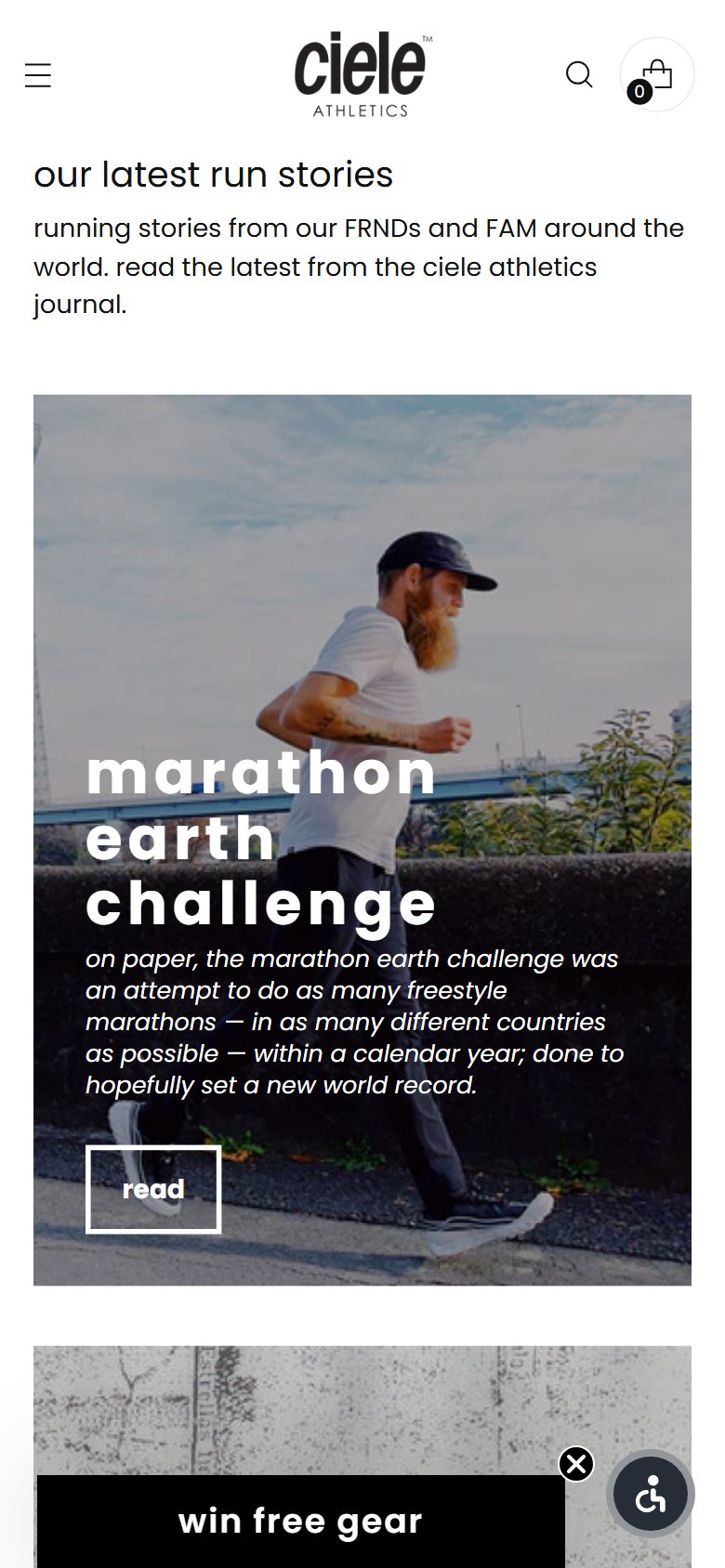
- Lift Down's homepage prominently states '4,500+ five-star reviews' as a headline claim but displays zero actual reviews — no carousel, no testimonial section, no review snippets visible in the scroll.
- First-time visitors arriving from ads or search have no third-party validated proof of quality before being asked to browse — a trust gap that increases bounce rate for a brand they've never heard of.
- The reviews exist and are detailed (verified on PDP with 85% five-star breakdowns) — the social proof asset is fully built; it just isn't surfaced where it has the most first-impression impact.
- Add a customer review carousel between the hero and the first product section — pull 4–6 reviews with star ratings, reviewer names, and cap model purchased to make them feel specific and credible.
- Include a size reference in featured reviews (e.g., 'Ordered Regular, fits perfectly at 22 inches') — this addresses the #1 purchase hesitation for headwear and doubles the review's conversion value.
- Add a platform-aggregate badge ('4.9★ from 4,500+ reviews') in the announcement bar or hero section to establish authority from the first scroll.
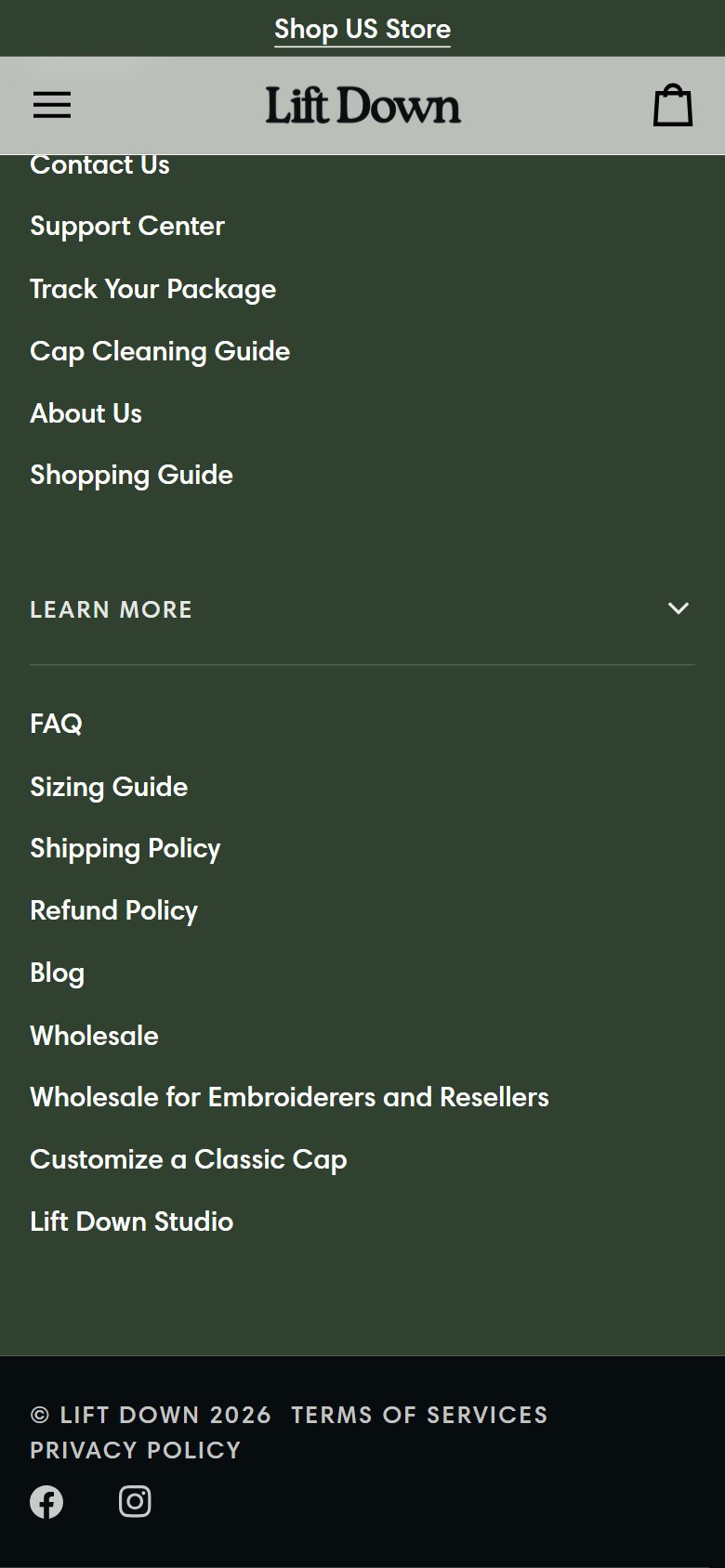
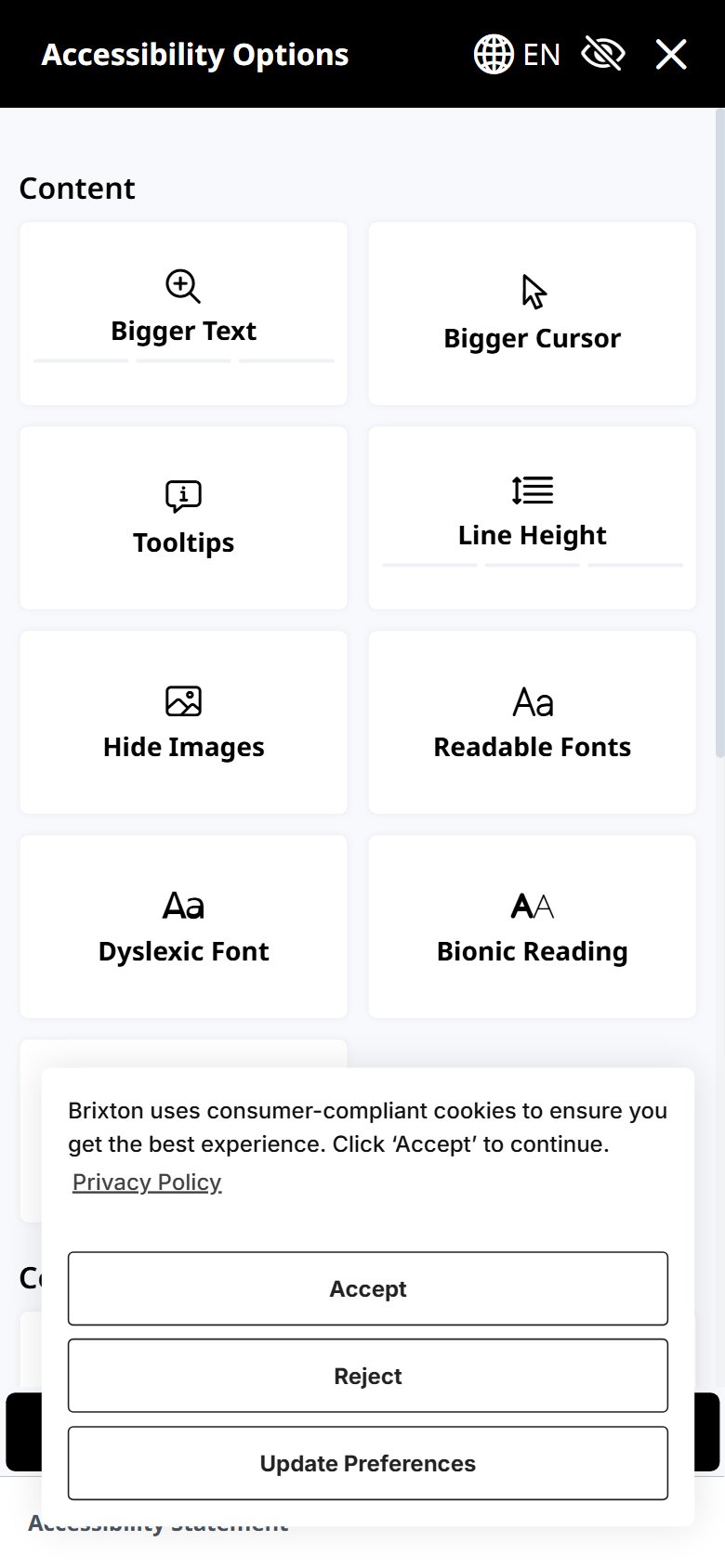
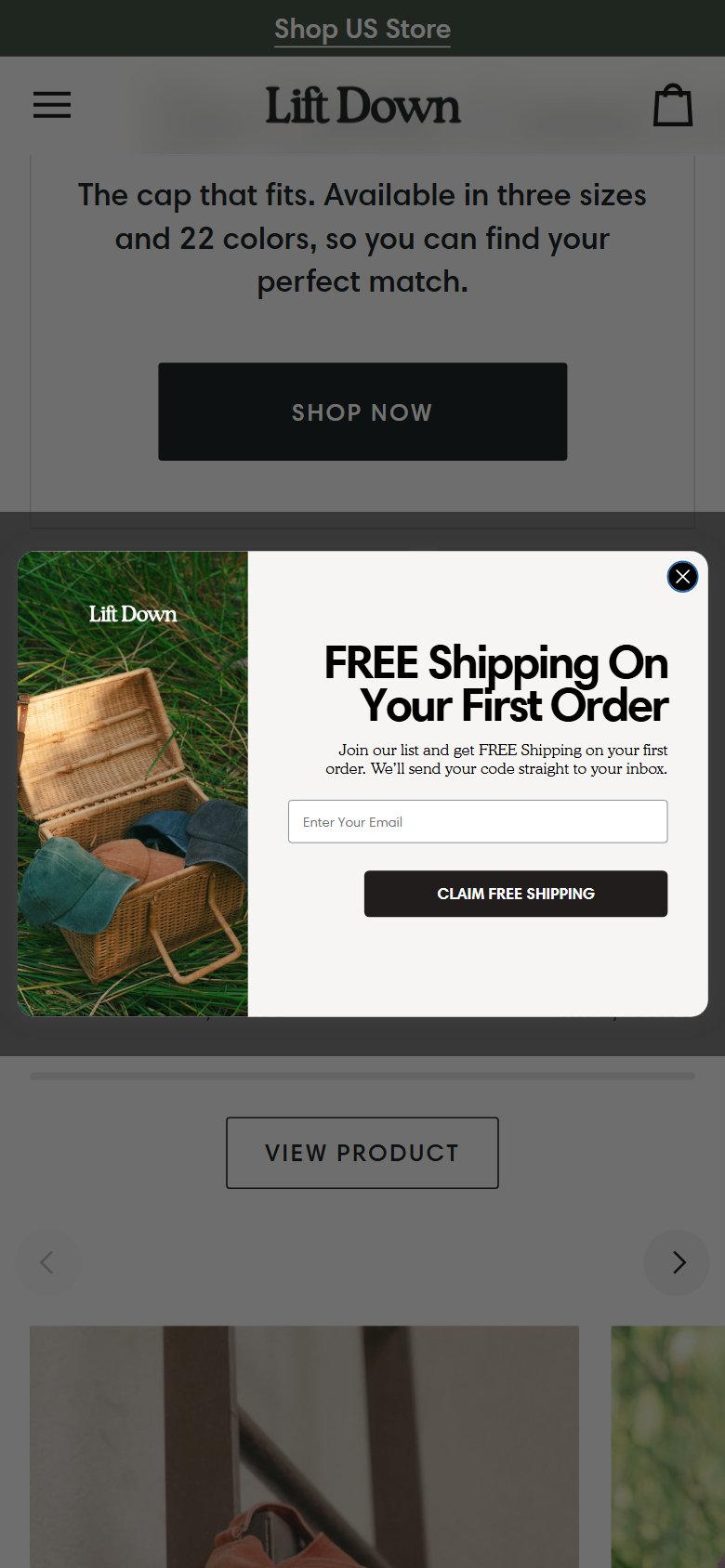
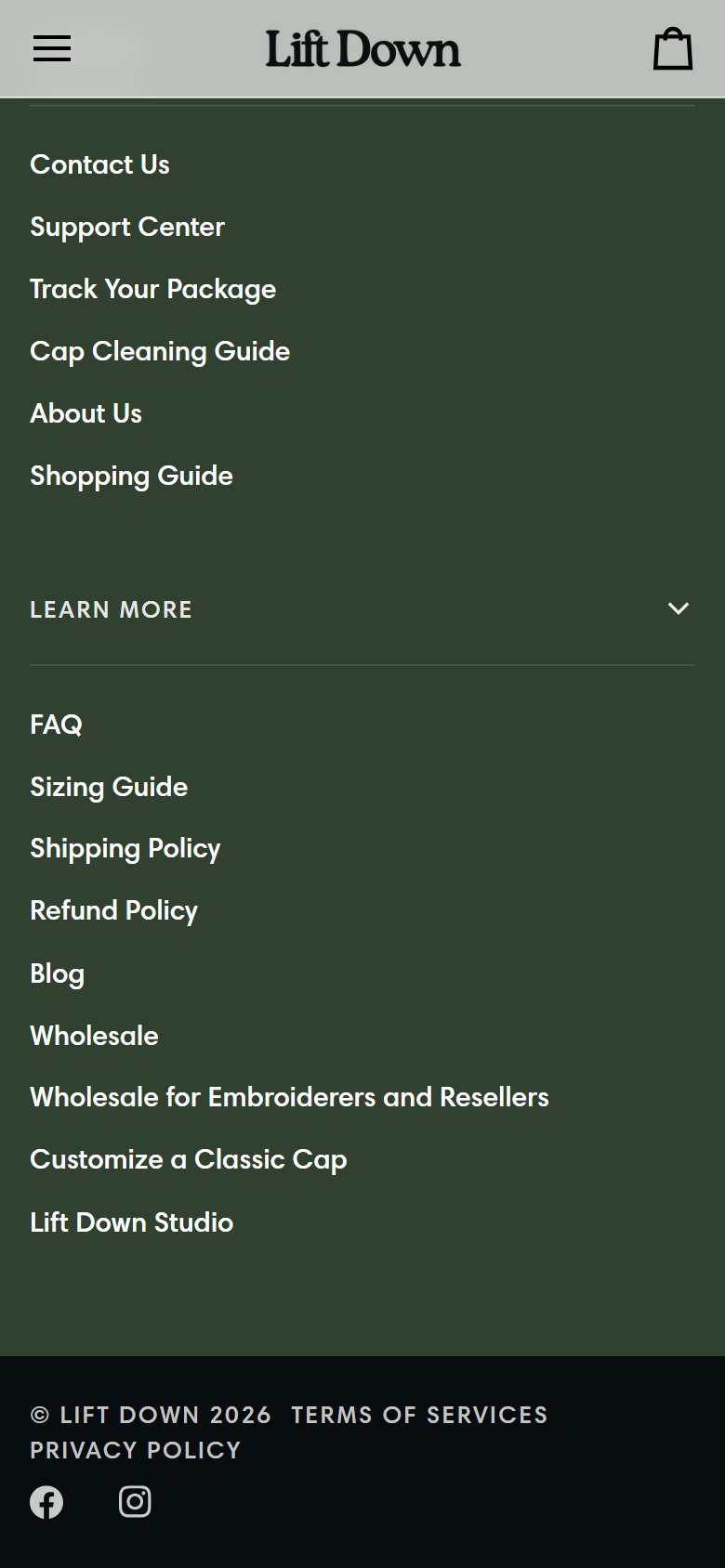
- Lift Down has no visible email capture form in the footer, no exit-intent popup, and no incentivized newsletter signup — first-time visitors who don't purchase leave without any CRM acquisition opportunity.
- Without an email list, there is no owned channel to re-engage window shoppers, announce new colorways, or run seasonal promotions — paid traffic acquisition costs are not offset by LTV.
- At a $29–$38 price point with a clear differentiated product story, a '10% off your first order' offer is highly effective and easily configured with any standard email platform.
- Add a timed exit-intent popup (triggered after 45 seconds or on exit intent) offering '10% off your first order' in exchange for an email — target 8–12% opt-in rate vs. 1–2% for a plain signup form.
- Add a footer newsletter form with a visible incentive: 'Get 10% off + first access to new colors' — persistent for shoppers who dismiss the popup.
- Connect email capture to an automated welcome series (3 emails: welcome discount, product story, social proof) using Klaviyo or Omnisend — this series typically generates 30–50% of total email revenue.
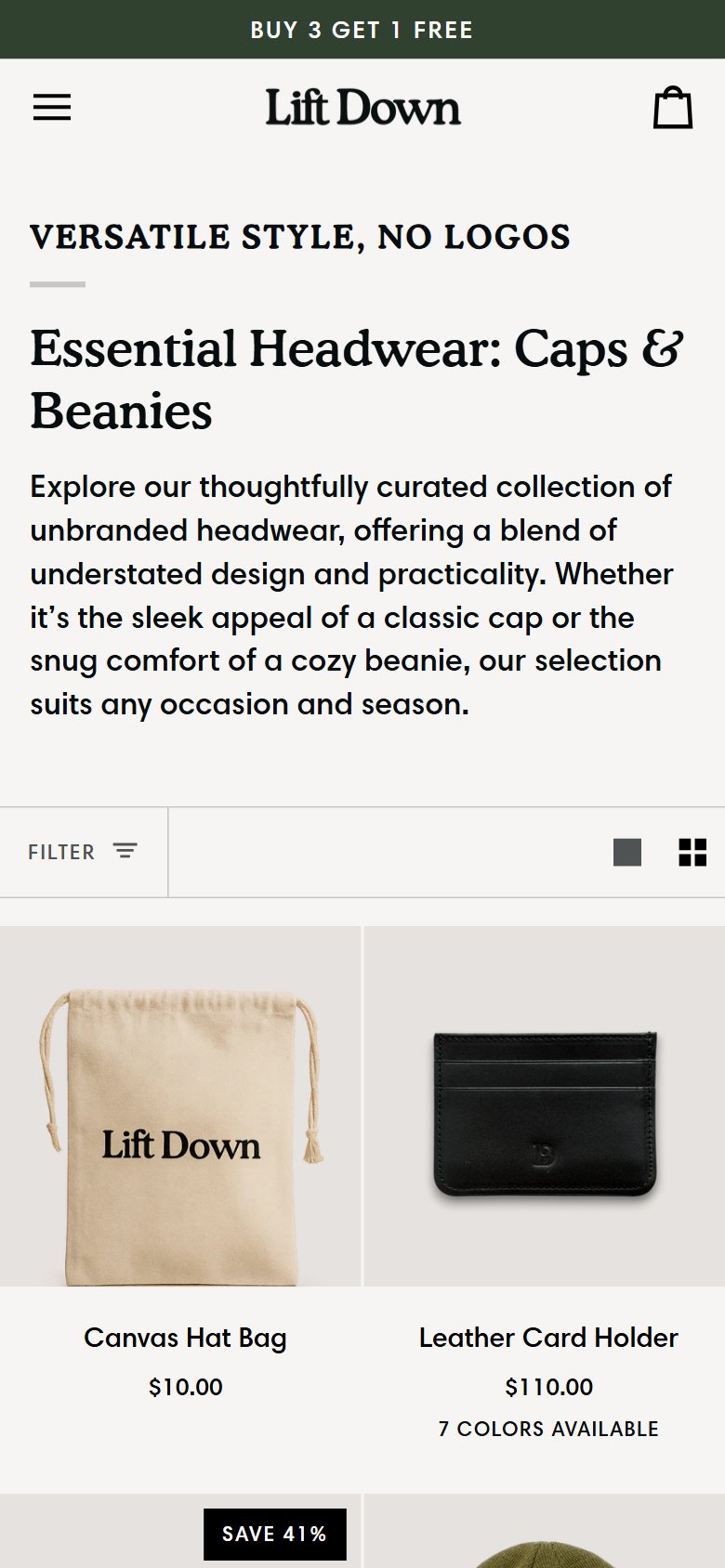
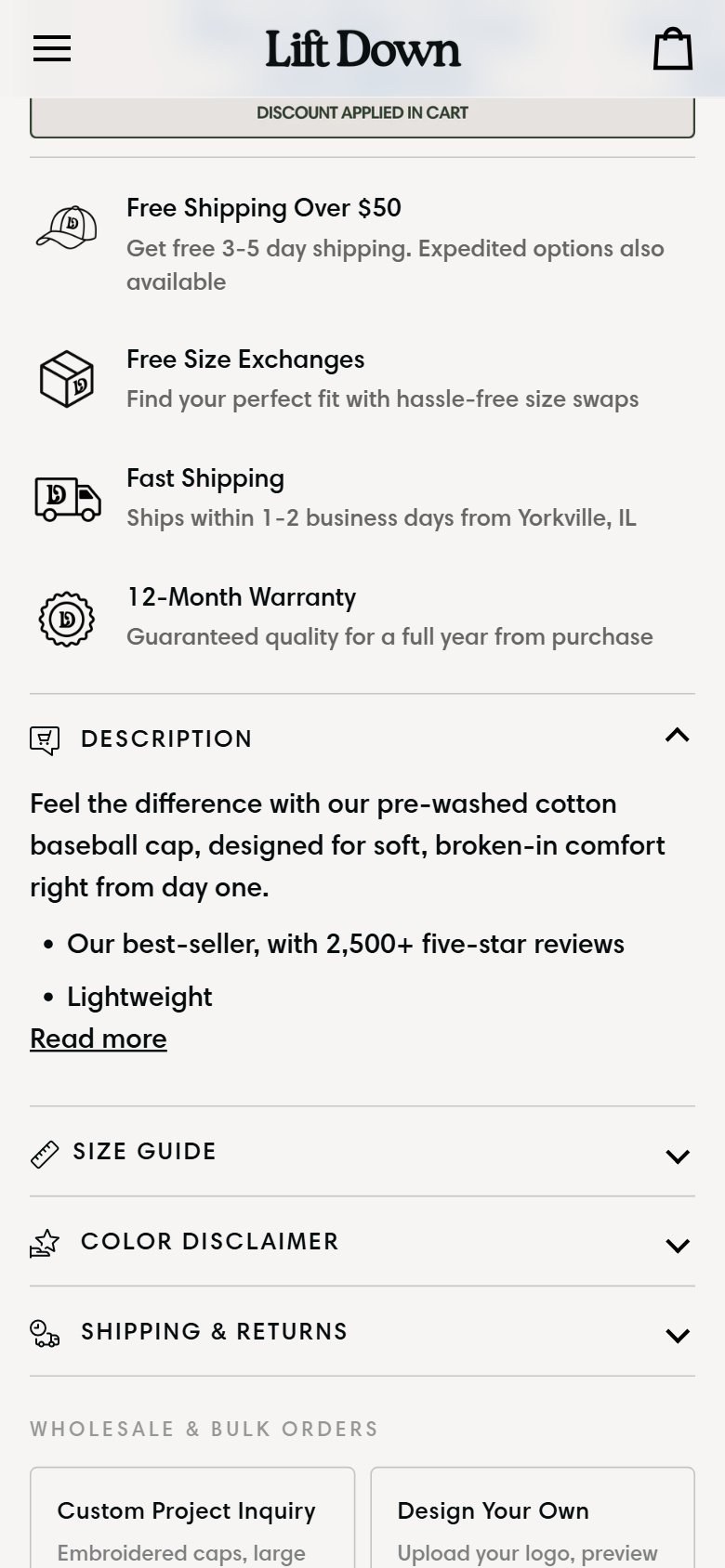
- Lift Down's homepage hero section moves directly into product categories with no USP strip — strong brand promises like 'Free Size Exchanges', '12-Month Warranty', and 'Ships in 1–2 Days' exist on the PDP but are not surfaced above the fold.
- Shoppers comparing Lift Down to Amazon or a generic headwear brand during the same session have no visible reason at the top of the homepage to trust Lift Down's quality claims without scrolling deep.
- These differentiators (warranty, exchanges, fast shipping, 4,500+ reviews) are genuinely strong — surfacing them as scannable icons after the hero converts a scroll-averse visitor who would otherwise bounce.
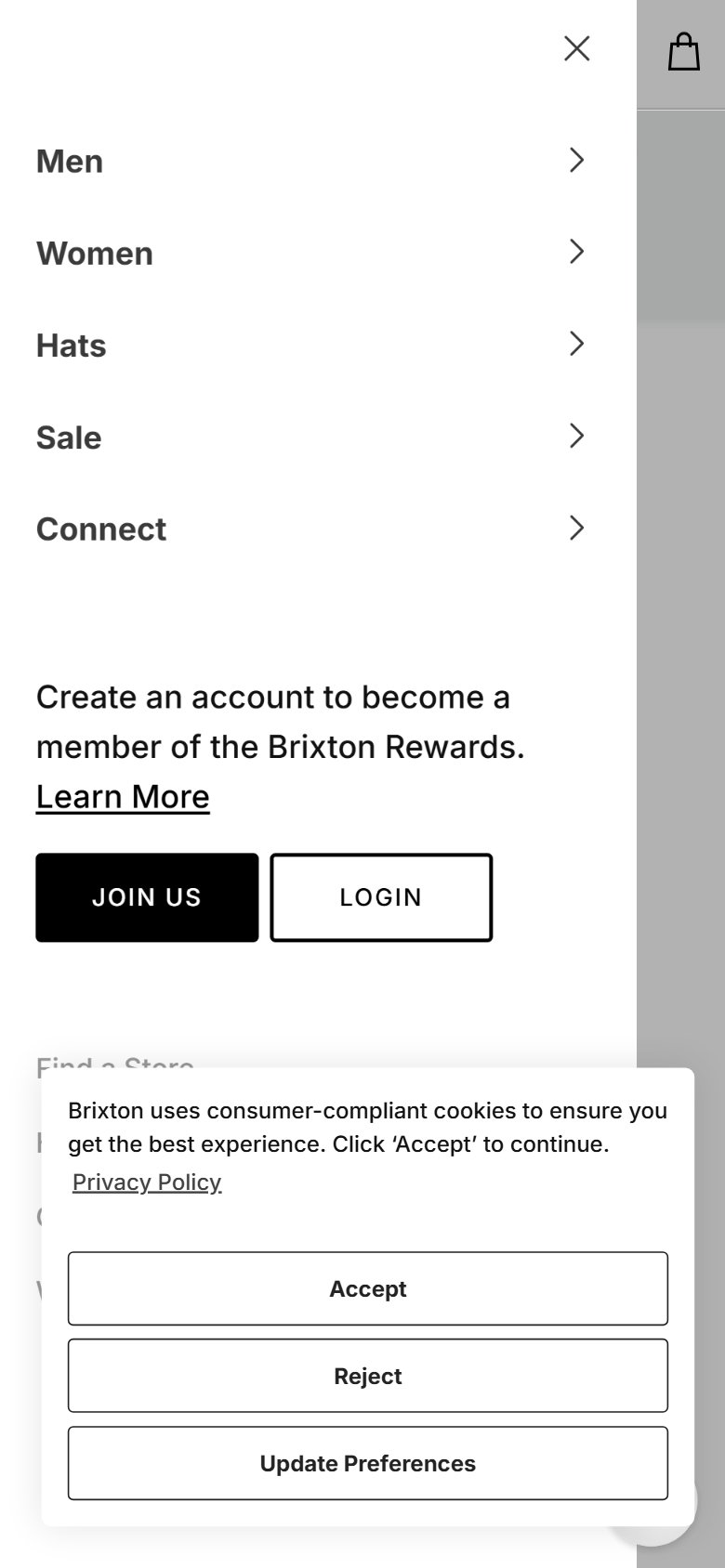
- Add a 4-icon USP bar immediately below the hero section: '4,500+ 5-Star Reviews', 'Free Size Exchanges', '12-Month Warranty', 'Ships in 1–2 Business Days' — each as an icon with a 3-word label.
- On mobile, consider a single-row scrollable icon strip rather than a 2×2 grid to maintain clean visual flow without excessive vertical space.
- These elements are already present on the PDP — copy the same trust icons to the homepage to create brand consistency and front-load the key purchase reassurances.
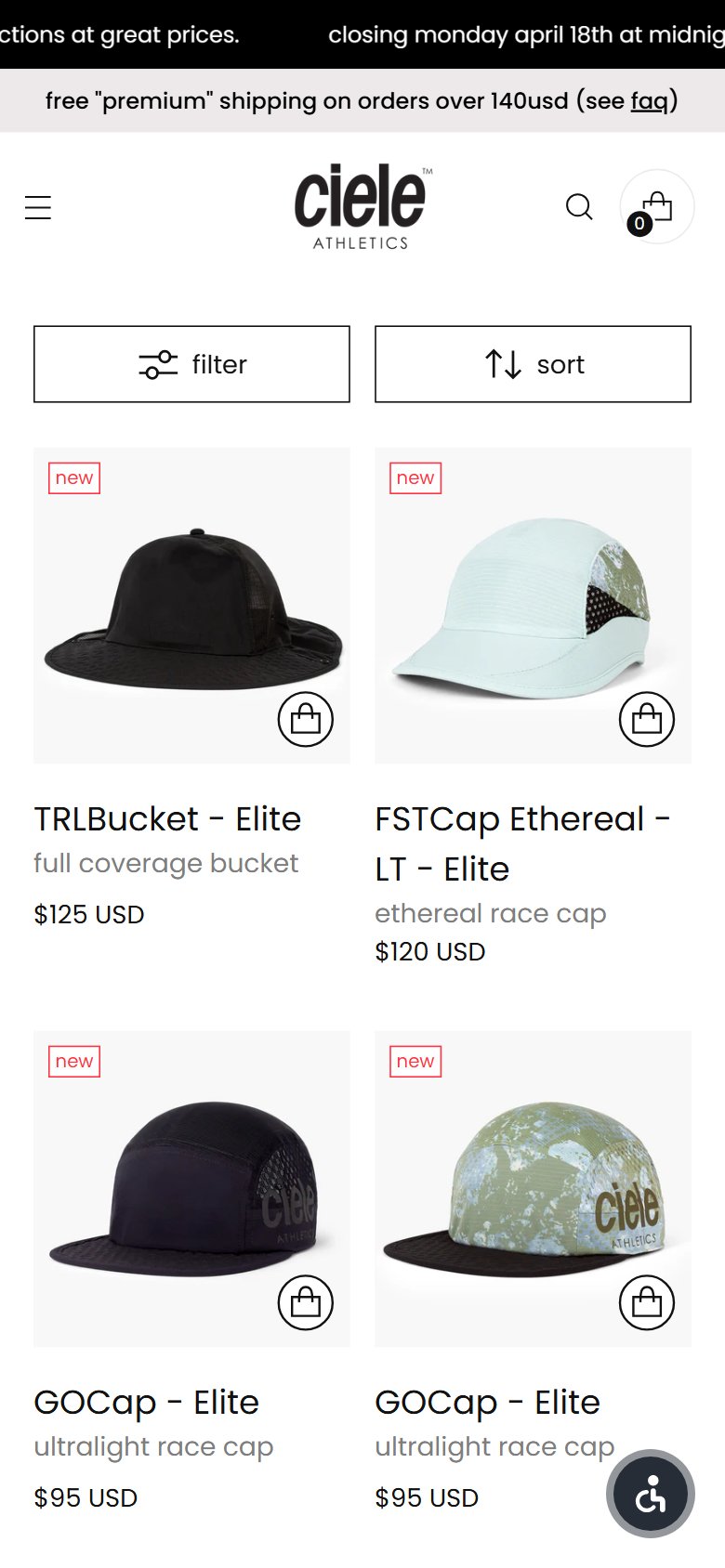
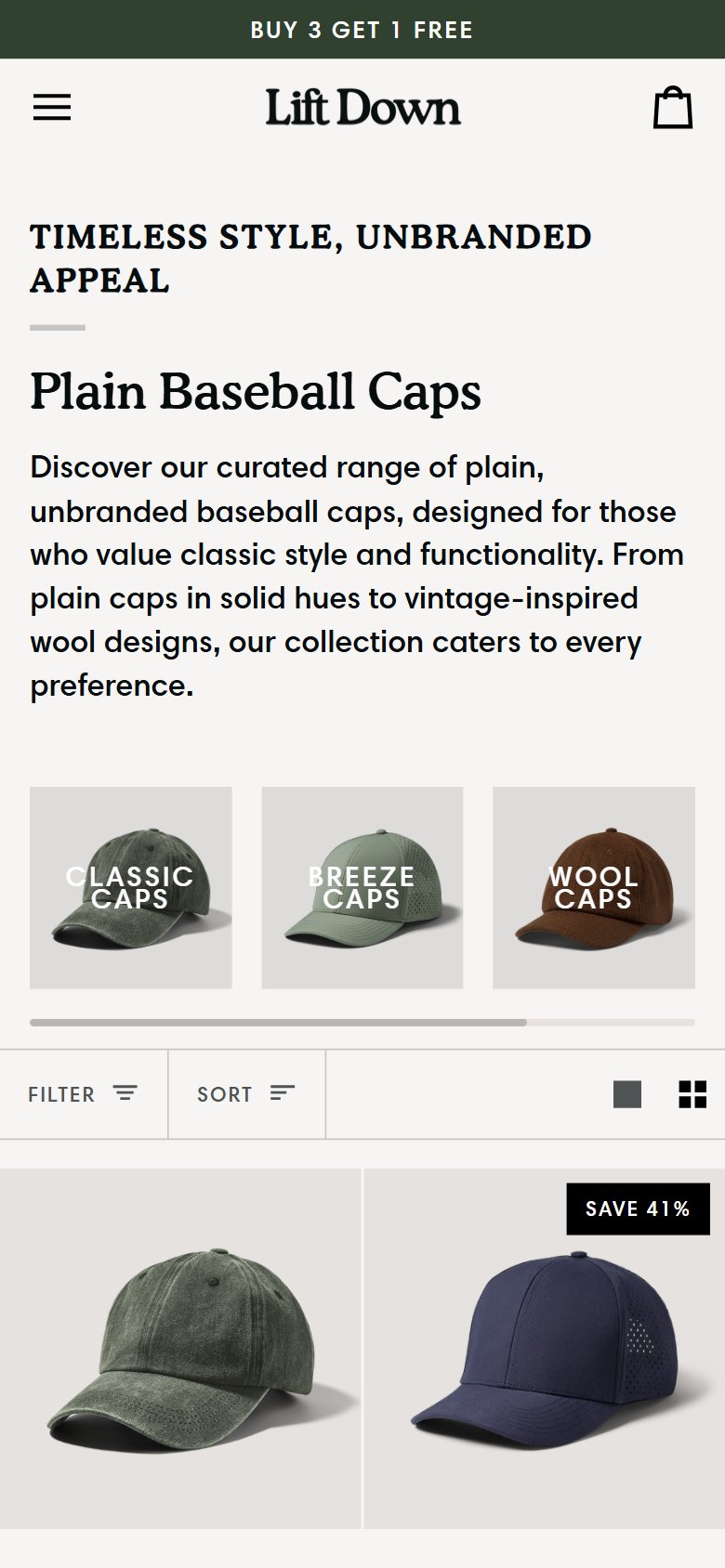
- Lift Down's collection cards show color swatches with click-to-select interaction, but selecting a color navigates to the PDP — there is no Quick Add or Quick View option to add directly from the collection page.
- For a brand with only 5–6 SKUs and familiar size/color as the primary variant, many returning visitors already know what they want — forcing a PDP detour adds unnecessary steps and drop-off opportunity.
- The color selection mechanic is already built on the collection card (swatch click triggers navigation) — extending this to a Quick Add sheet or cart-add action requires minimal additional development.
- Add a 'Quick Add' button below each collection card that opens a size selector sheet on mobile and triggers an inline add-to-cart — works well for a brand with simple size variants (S/M/XL).
- Alternatively, implement a Quick View drawer (tap the card → slide-up panel with images, size selector, ATC button) for shoppers who want more info without full PDP navigation.
- Prioritize this on mobile, where 65–70% of headwear traffic comes — a floating size selector sheet is a native-feeling mobile pattern that removes friction without sacrificing the product story.
- Lift Down's collection and PDP pages have no wishlist, favorites, or save-for-later feature — shoppers who like a colorway but aren't ready to purchase have no way to bookmark it without manually noting it elsewhere.
- Headwear is a considered purchase for many shoppers (comparing shades, waiting for payday, buying as a gift) — a wishlist creates a persistent return path and provides valuable intent signals for retargeting.
- Wishlist data feeds retargeting: abandoned wishlists can be used for email/SMS reminders ('Your Bluestone Green cap is still waiting') — a high-ROI personalization trigger with zero additional spend.
- Add a heart/bookmark icon to collection cards and PDP — on tap, save the product + selected color to a guest wishlist stored in localStorage or a simple Shopify app (Wishlist King, Swym).
- Enable wishlist-to-email retargeting: allow shoppers to enter their email to 'receive a reminder' when they save an item — this converts wishlist saves into email subscribers with high purchase intent.
- Surface 'My Wishlist' in the header navigation and account area — makes the feature discoverable and encourages shoppers to create an account to persist their list across devices.
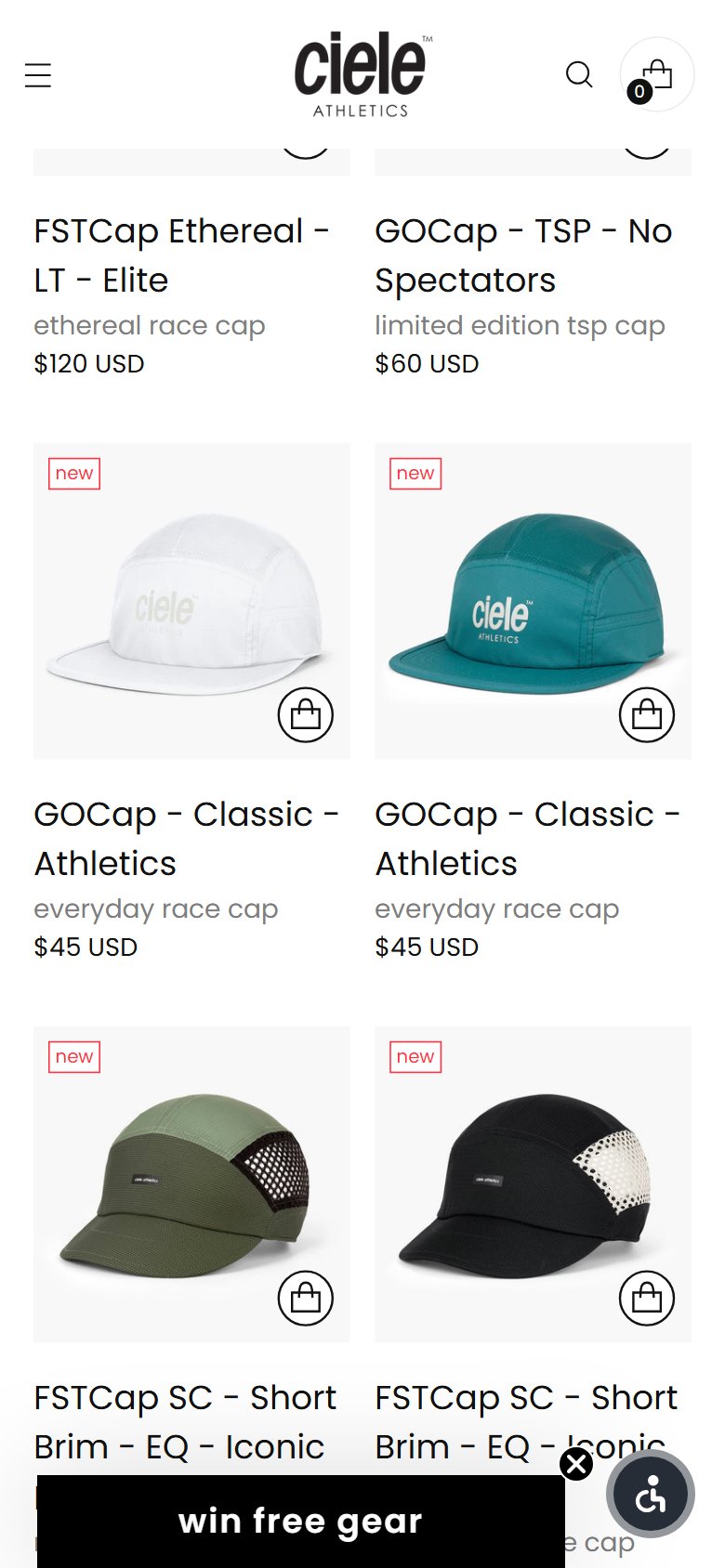
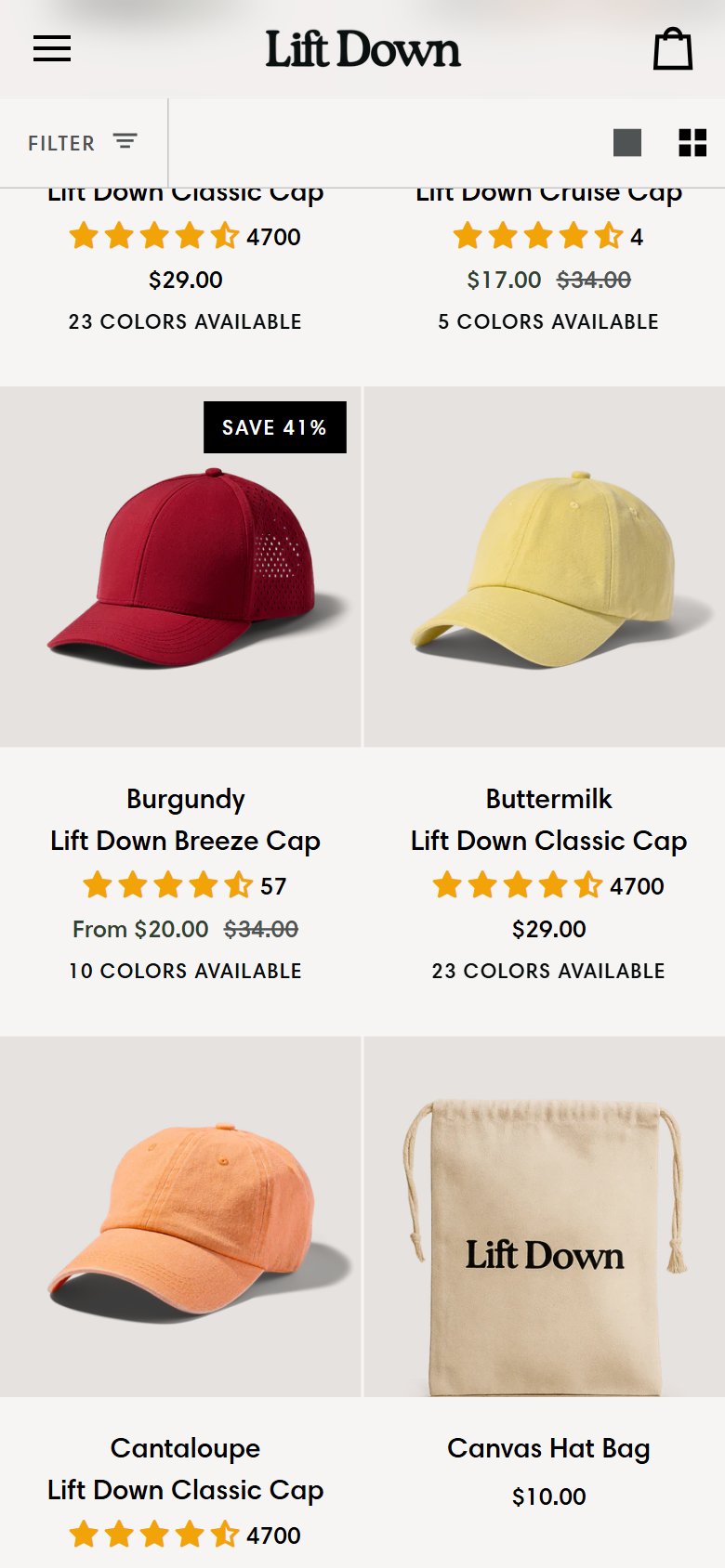
- Lift Down's collection cards show a review count ('4700 reviews') but no star rating — shoppers see volume but not the quality score, which is the more persuasive signal for first-time buyers.
- The Classic Cap has an 85% five-star rate and averages 4.9★ — displaying the star score ('4.9★ 4,700 reviews') on the collection card would immediately communicate exceptional quality during browse.
- This is a low-effort display update to the product card template — the rating data already exists in the reviews system and only needs to be surfaced with a star icon in the card layout.
- Update the collection card template to display both the star score and review count: '4.9★ (4,700 reviews)' — position this below the product title and above the price.
- Use a compact star display (3 filled stars with a number) for mobile cards to avoid crowding — even minimal star display outperforms review count alone for conversion.
- If the review platform supports it, show a condensed rating format: '★4.9 · 4.7K reviews' on one line — this is scannable at small sizes without requiring a full 5-star graphic.
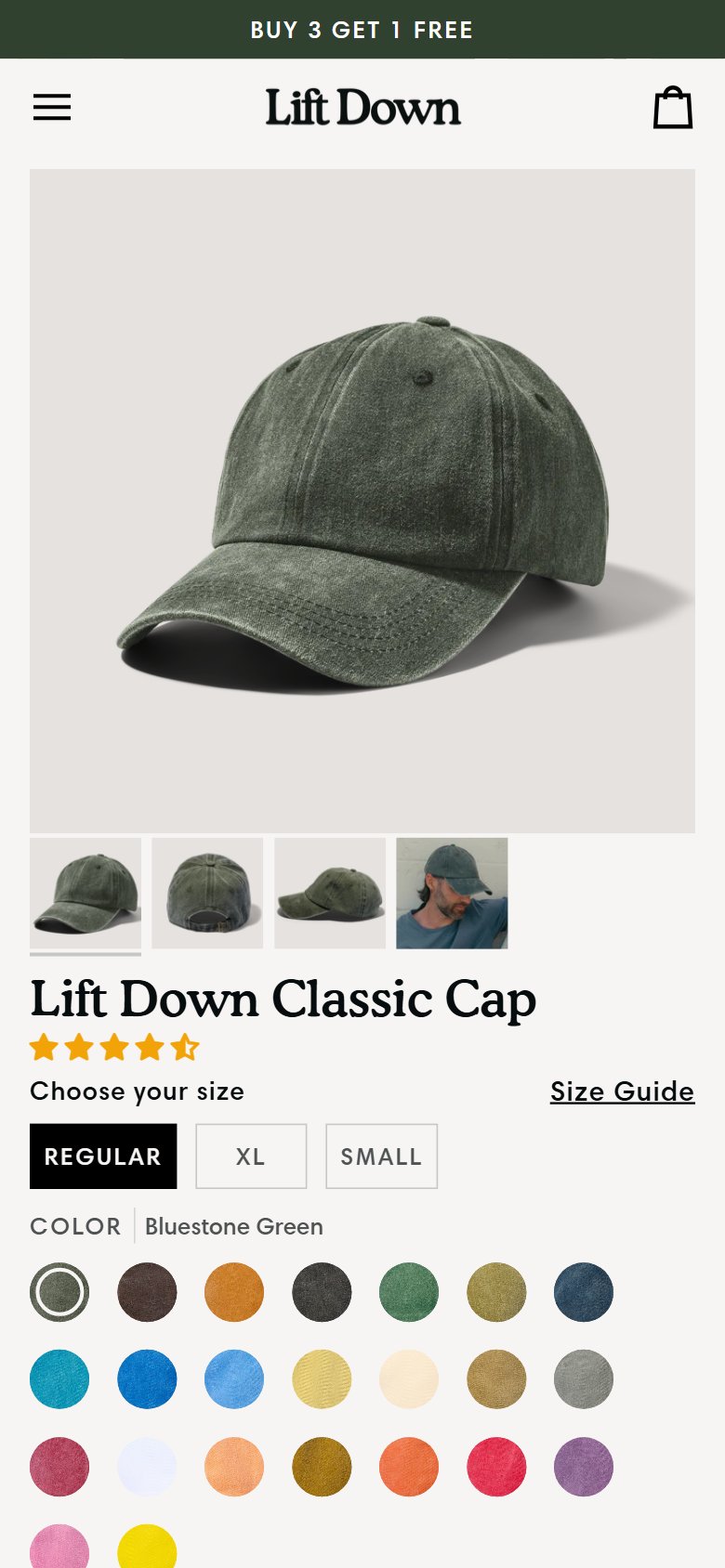
- Lift Down's PDP has a single 'Add to Cart' button with no Buy Now, Shop Pay, or Apple Pay express option — high-intent shoppers who are ready to purchase must navigate cart → checkout in multiple steps.
- Returning customers and email-click traffic (who already know the product) are especially impacted — they are the most likely to convert via a one-tap Buy Now path but are forced through the full cart flow.
- Shopify's native dynamic checkout button (Buy Now) is available to all Shopify stores at no cost and is a standard theme configuration — no development required to enable it.
- Enable Shopify's dynamic checkout button on the PDP — this renders a 'Buy Now' button that bypasses the cart and routes directly to checkout with the selected variant pre-filled.
- Position the Buy Now button below the primary 'Add to Cart' button as a secondary CTA — maintains 'Add to Cart' as primary (for multi-item sessions) while providing the express path for single-item buyers.
- A/B test the button label: 'Buy Now' vs. 'Buy It Now' vs. 'Checkout Instantly' — the right framing can improve click-through rate for the express checkout path by 10–15%.
- Lift Down's PDP shows 4,700 text reviews with star ratings but zero customer photos — for headwear, where shoppers need to visualize how a cap looks on a real person, text-only reviews are significantly less persuasive than photo reviews.
- The primary purchase hesitation for caps is 'will it look good on me?' — customer photos showing different head shapes, skin tones, and styling options directly address this objection in a way text cannot.
- With 4,700 reviews across a small SKU catalog, there is high probability that many verified buyers have already submitted photos — a photo collection email campaign could surface these assets quickly.
- Enable photo review collection in the current review platform — send a post-purchase email (7–14 days after delivery) requesting a photo with a small incentive (free next purchase discount or entry into a giveaway).
- Display a photo review gallery as a horizontal scroll strip above text reviews on the PDP — 6–8 customer photos in a scrollable strip is the standard layout that performs best on mobile.
- Seed the photo gallery with 10–15 team-curated photos (from social media reposts or influencer submissions) while organic submissions build — this ensures the section is live and active from day one.

- Lift Down's mobile PDP has the Add to Cart button in the standard inline position — after scrolling through reviews (4,700 reviews generate significant scroll depth), the ATC button is completely off-screen with no sticky alternative.
- On mobile, product pages with substantial review sections, cross-sell rows, and description copy require 8–12 scroll steps to read — without a sticky ATC bar, motivated buyers must scroll all the way back up to purchase.
- 9/10 top headwear and fashion stores use a sticky ATC bar on mobile as standard practice — it is a well-understood conversion pattern that works especially well for review-heavy products where page length is unavoidable.
- Implement a sticky bottom bar on mobile that appears once the user scrolls past the original ATC button — the bar should show the product name, selected color, size selector shortcut, and 'Add to Cart' button.
- Keep the sticky bar minimal (40–48px height) to avoid obscuring content — a bottom sheet that expands on tap for size selection is the preferred mobile pattern for multi-variant products.
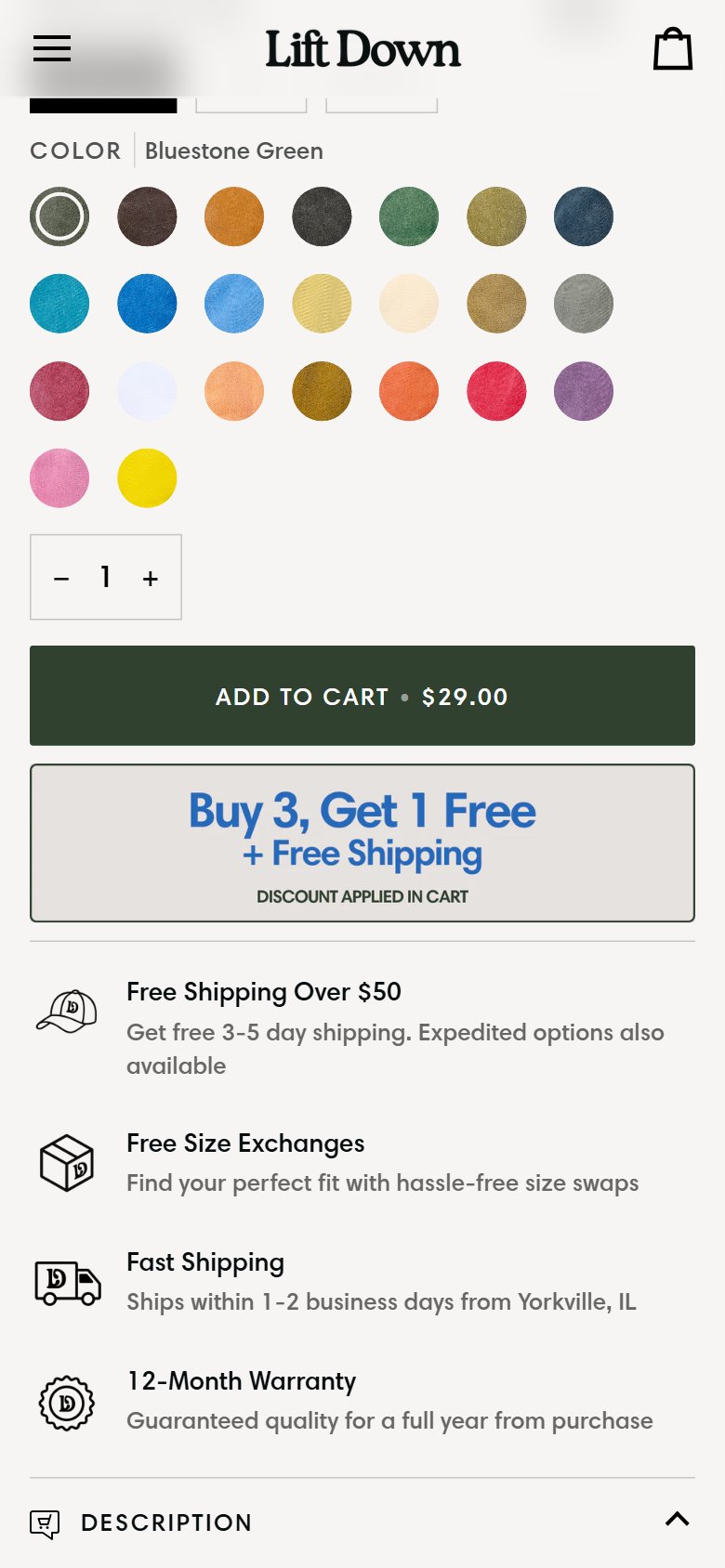
- Verify this does not conflict with the BUY 3 GET 1 FREE promo banner — if both are sticky, prioritize the ATC bar and make the promo bar dismissible on mobile.
- Lift Down's PDP shows the price ($29–$38) but no BNPL messaging — at these price points, installment payment is not the primary use case, but for the Wool Cap ($38) and gift buyers purchasing multiple caps, it removes a psychological hesitation.
- Shopify Payments includes Shop Pay Installments at no extra cost for eligible merchants — if already using Shopify Payments, this BNPL option can be enabled and displayed with a simple configuration change.
- The BUY 3 GET 1 FREE offer effectively means a 4-cap purchase at $87 — at this combined basket value, installment messaging ('3 payments of $29') becomes relevant and can increase multi-pack uptake.
- Enable Shop Pay Installments display on the PDP — Shopify provides an on-site messaging widget that shows installment amounts automatically based on cart value.
- Position the BNPL badge between the price and the ATC button: 'Or 4 payments of $7.25 with Shop Pay' — this is visible at the critical price decision point without cluttering the ATC zone.
- For the BUY 3 GET 1 FREE bundle landing, calculate and display the full bundle price with installments: 'Get 4 caps for $87 — or 4 payments of $21.75 with Shop Pay' to make the bundle feel more accessible.
- Lift Down has a detailed size guide (/pages/size-guide) with measurement instructions, a 30-second quiz, and size-specific customer testimonials — but it is a standalone page that navigates away from the PDP when clicked.
- Clicking the size guide link on the PDP takes the shopper to a separate page, breaking the purchase flow — in analytics this appears as a PDP exit, and many shoppers do not navigate back to complete the purchase.
- Headwear sizing is the primary source of hesitation for first-time cap buyers — making size guidance instantly accessible without leaving the PDP is a direct conversion driver, not just a UX nice-to-have.
- Convert the 'Find Your Fit' link on the PDP into a modal/popup that renders the size guide content inline — the existing size guide page content (measurement guide + quiz + testimonials by size) is ideal for this format.
- Open the size guide modal on tap/click with a slide-up sheet on mobile — keep the modal focused on just the sizing tool and customer-by-size testimonials, not the full page layout.
- Consider embedding the 30-second sizing quiz directly in the modal as the first step — interactive tools have 3–4x higher completion rates than static charts and result in more confident size selections.

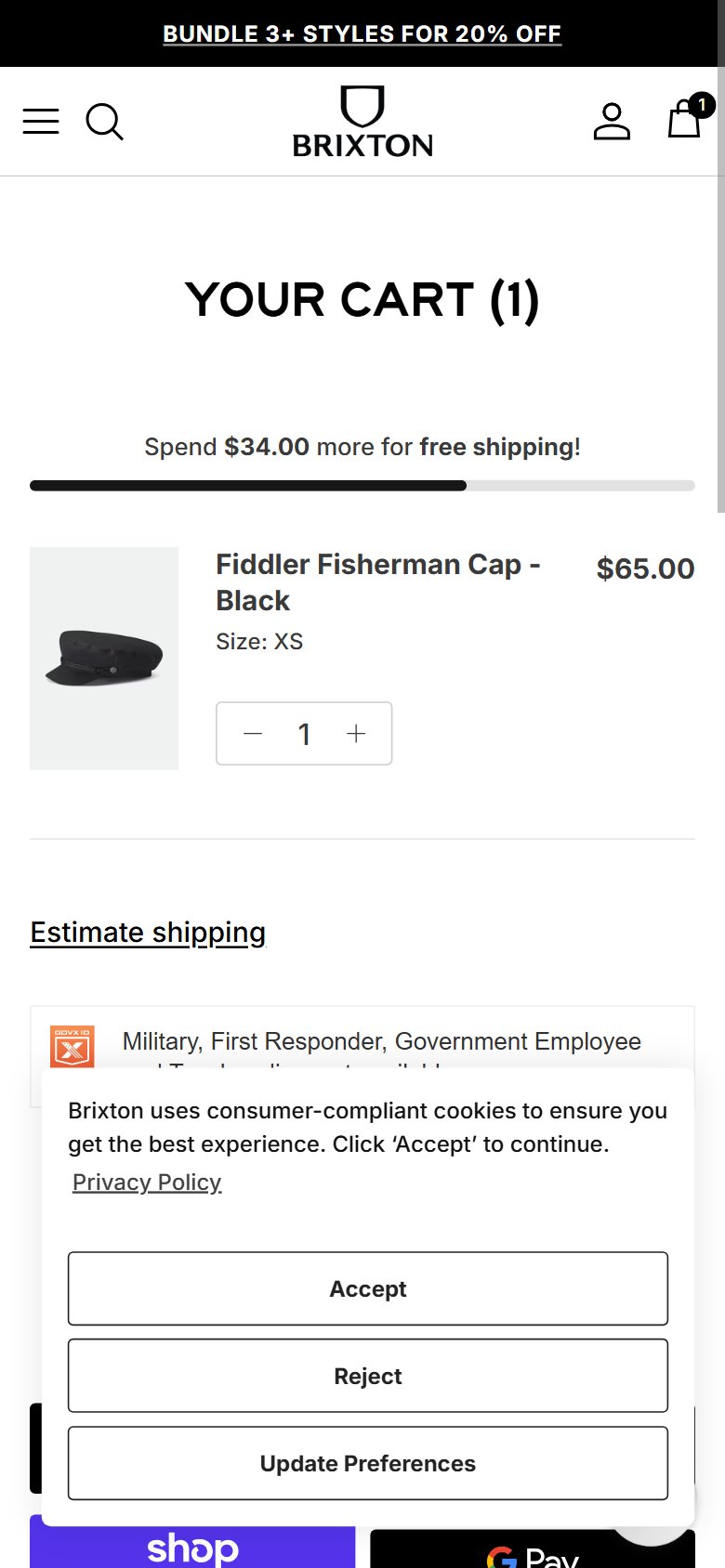
- Adding a product to cart on Lift Down navigates to the full /cart page, interrupting the browsing session — shoppers who wanted to add multiple items (especially relevant for the BUY 3 GET 1 FREE offer) must navigate back to continue.
- For a brand actively promoting a 4-cap bundle deal, a cart drawer is especially critical — it allows shoppers to browse and add additional caps without losing their cart context, directly supporting the AOV-building promotion.
- 8/10 top headwear stores use a cart drawer as standard practice — the full-page redirect is a UX pattern from an earlier era of e-commerce that measurably increases bounce from the cart.
- Enable a cart drawer (slide-out panel) on the 'Add to Cart' action — show the added item, subtotal, free shipping progress, and a 'View Cart / Checkout' CTA pair at the drawer bottom.
- In the cart drawer, surface the BUY 3 GET 1 FREE promotion prominently: 'Add 2 more caps to unlock a free one' with a count indicator — this turns the drawer into an AOV-building tool rather than just a confirmation.
- Keep the full /cart page accessible via 'View Cart' in the drawer — some shoppers prefer to review their full order before proceeding, so the page should remain but not be the default post-ATC destination.
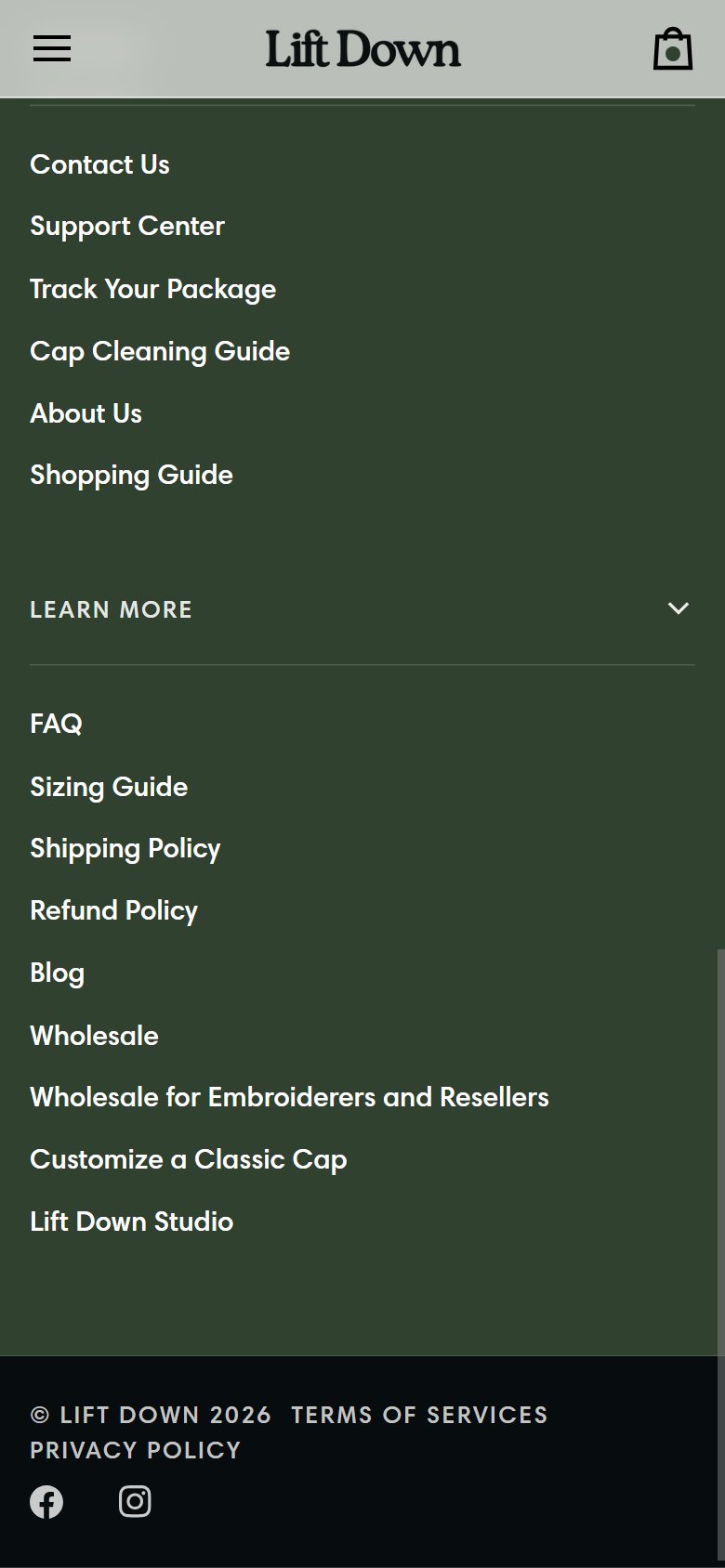

- Lift Down's cart page has a single 'Check Out' button with no Shop Pay, Apple Pay, Google Pay, or PayPal express options — returning customers with payment methods saved must re-enter their details through the full Shopify checkout form.
- Shop Pay users convert at 1.72x the rate of standard checkout users (Shopify data) — not surfacing this button in the cart is a significant missed conversion opportunity for a US-based Shopify store.
- Express checkout buttons are a standard Shopify feature available at no additional cost — if Shopify Payments is enabled, Shop Pay and dynamic checkout buttons can be turned on in settings in minutes.
- Enable dynamic checkout buttons on the cart page via Shopify Admin → Settings → Checkout → Show dynamic checkout buttons — this renders Shop Pay, Apple Pay, and Google Pay automatically based on browser/device.
- Position express checkout options above the standard 'Check Out' button with a divider labeled 'Express Checkout' — this is the Shopify-recommended layout that maximizes visibility without confusing checkout flow.
- Add payment method trust icons (Visa, Mastercard, Amex, Shop Pay, PayPal) below the checkout button as a visual reassurance strip — reduces last-second payment hesitation even for non-express users.
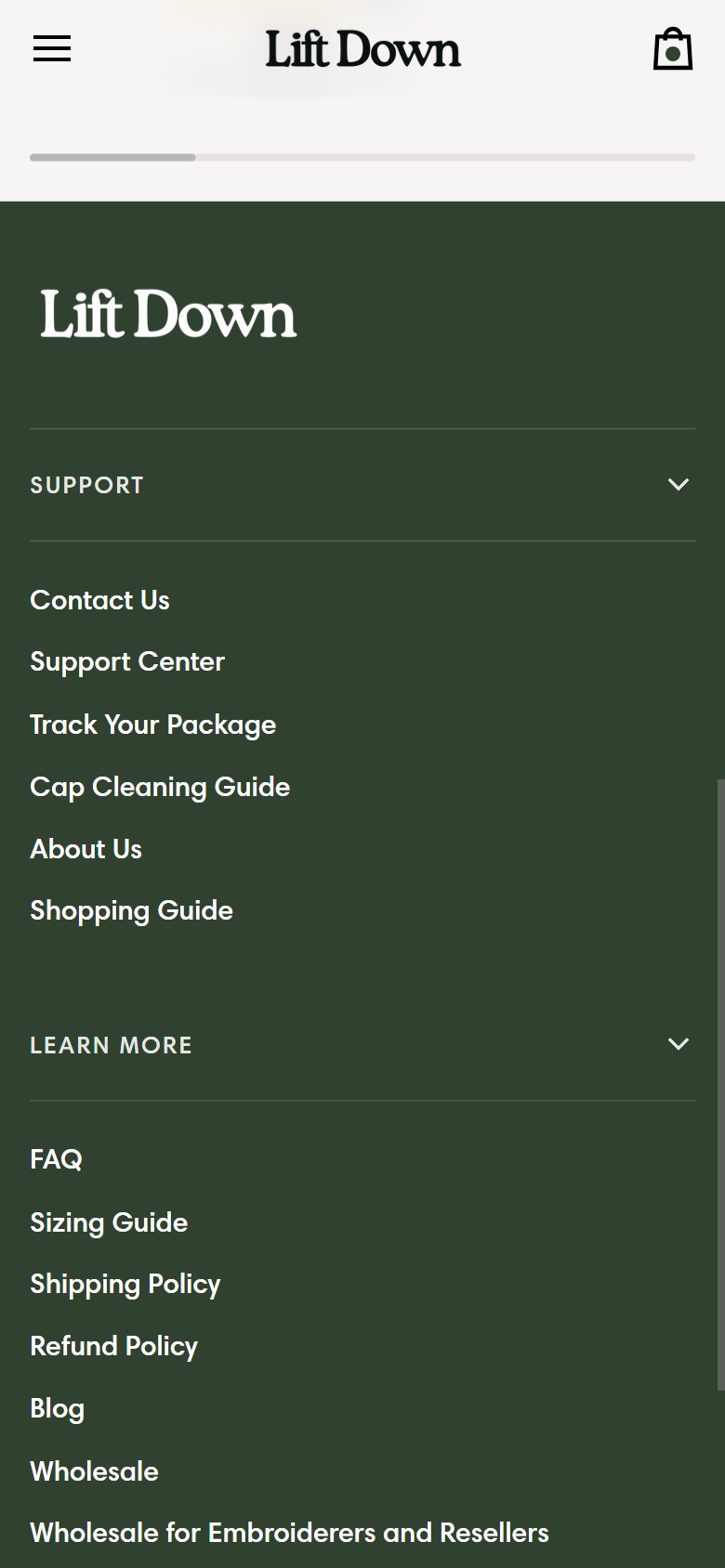

- Lift Down's cart page has no visible discount code or promo code field — shoppers who have received a promotional code (from email, influencer, or social ad) must navigate all the way to the Shopify checkout form to apply it.
- Shoppers who know they have a code but can't find an entry field in the cart often navigate away to Google 'Lift Down promo code' — a significant abandonment trigger that sends customers to third-party coupon sites.
- With active promotions (BUY 3 GET 1 FREE, sale items) and likely email campaigns, a visible promo code entry in the cart is increasingly important for capturing email-driven traffic that arrives with discount intent.
- Add a collapsible 'Have a promo code?' link in the cart order summary — collapsed by default to avoid prompting code-hunting in shoppers who don't have one, expandable for those who do.
- This is a standard Shopify cart page customization available in most themes — if the current theme doesn't support it natively, a lightweight cart upsell app like Rebuy or a simple liquid edit can add this field.
- For active sale events and the BUY 3 GET 1 FREE promotion, consider pre-applying discount logic automatically (via URL or Shopify discount functions) so shoppers don't need a code at all — eliminating the friction entirely.
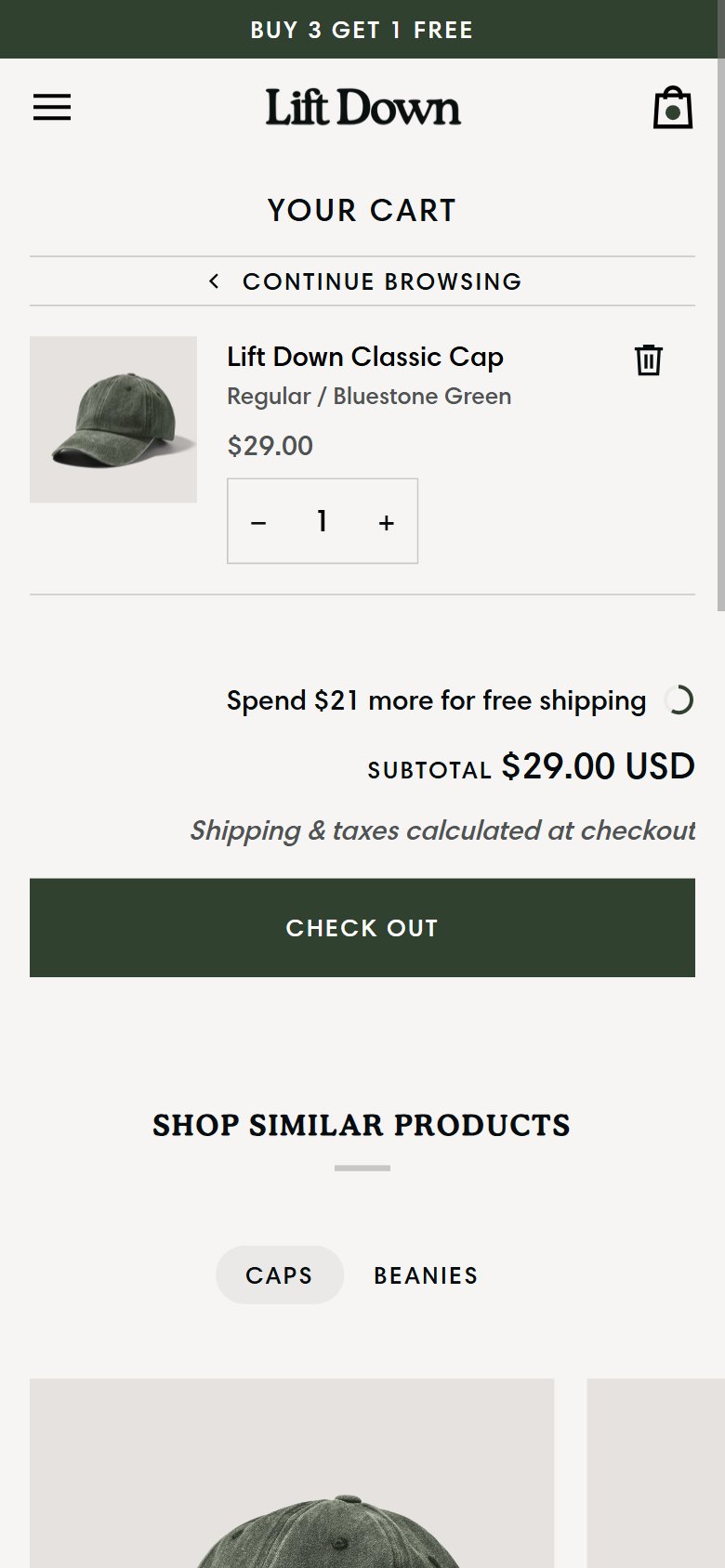
- Lift Down's cart has zero urgency elements — no 'Only X left' inventory signals, no session-limited promotion timer, no 'X people viewing this color' social signals on any cart line item.
- At $29–$38 per cap, the 'I'll come back for it later' behavior is very common — shoppers don't feel the same price urgency as they would for a $200 item, making behavioral urgency signals more important to drive same-session completion.
- The BUY 3 GET 1 FREE promotion is time-sensitive by nature — adding a promotion validity indicator ('Offer valid through May 31') in the cart creates a legitimate urgency signal tied to an existing promotional mechanic.
- Add real-time inventory badges to cart line items when stock is low (≤10 units): 'Only 4 left in Onyx Black / Regular' — Shopify's inventory API supports this natively and it is most effective for popular colorways.
- Surface a BUY 3 GET 1 FREE progress indicator in the cart for shoppers with fewer than 3 items: 'Add 1 more cap to unlock your free one — offer ends [date]' — directly ties urgency to a conversion-building action.
- For seasonal sale items (currently discounted 41–50%), add a 'Sale price guaranteed until [date]' or 'Sale ends soon' indicator on discounted cart line items to motivate same-session completion.
Performance & Technology
Core Web Vitals, page-speed signals, and the technology stack powering Lift Down
Core Web Vitals
Technology Stack
Performance & Technology Assessment
Mobile performance is respectable (73/100); desktop is solid (86/100) on Shopify. Page-speed and Core Web Vitals are increasingly load-bearing for SEO and conversion in this category — addressing the weakest vital first is the single highest-leverage technical improvement available.
Confidential — Prepared for Lift Down by Growisto | May 2026
App Ecosystem
What's installed vs what's missing from best-in-class Fashion stores
Present (4)
Missing (6)
App Stack Assessment
Lift Down has a lean app stack focused on core commerce (payments, order tracking) but is missing the conversion and retention infrastructure that most comparable D2C headwear brands rely on. The three critical gaps — email marketing automation, session recording, and photo reviews — are foundational tools that typically deliver the highest ROI per dollar of implementation effort. Klaviyo alone, paired with a welcome series and abandoned cart flow, can generate 20–30% of total store revenue from an owned channel. Microsoft Clarity (free) eliminates guesswork in CRO by providing direct visibility into how shoppers interact with the store. Adding these three apps is the highest-leverage near-term action Lift Down can take to improve conversion and revenue without touching paid acquisition.
Confidential — Prepared for Lift Down by Growisto | May 2026